
Chapter 1 of 16 · all chapters
- 1. What Examiverse does
- 2. Set up your company
- 3. People, roles and skills
- 4. Make a course
- 5. Languages
- 6. How employees learn
- 7. Interactive games
- 8. Live Practice
- 9. Chart Lab
- 10. Certificates and evidence
- 11. Reports and checks
- 12. LMS Studio
- 13. Export any course
- 14. Translate a video
- 15. Plans and credits
- 16. What runs on its own
What Examiverse does, and who it is for
Examiverse turns your procedures into video training in your people’s own languages, assesses them, and keeps proof that each person can do the job.
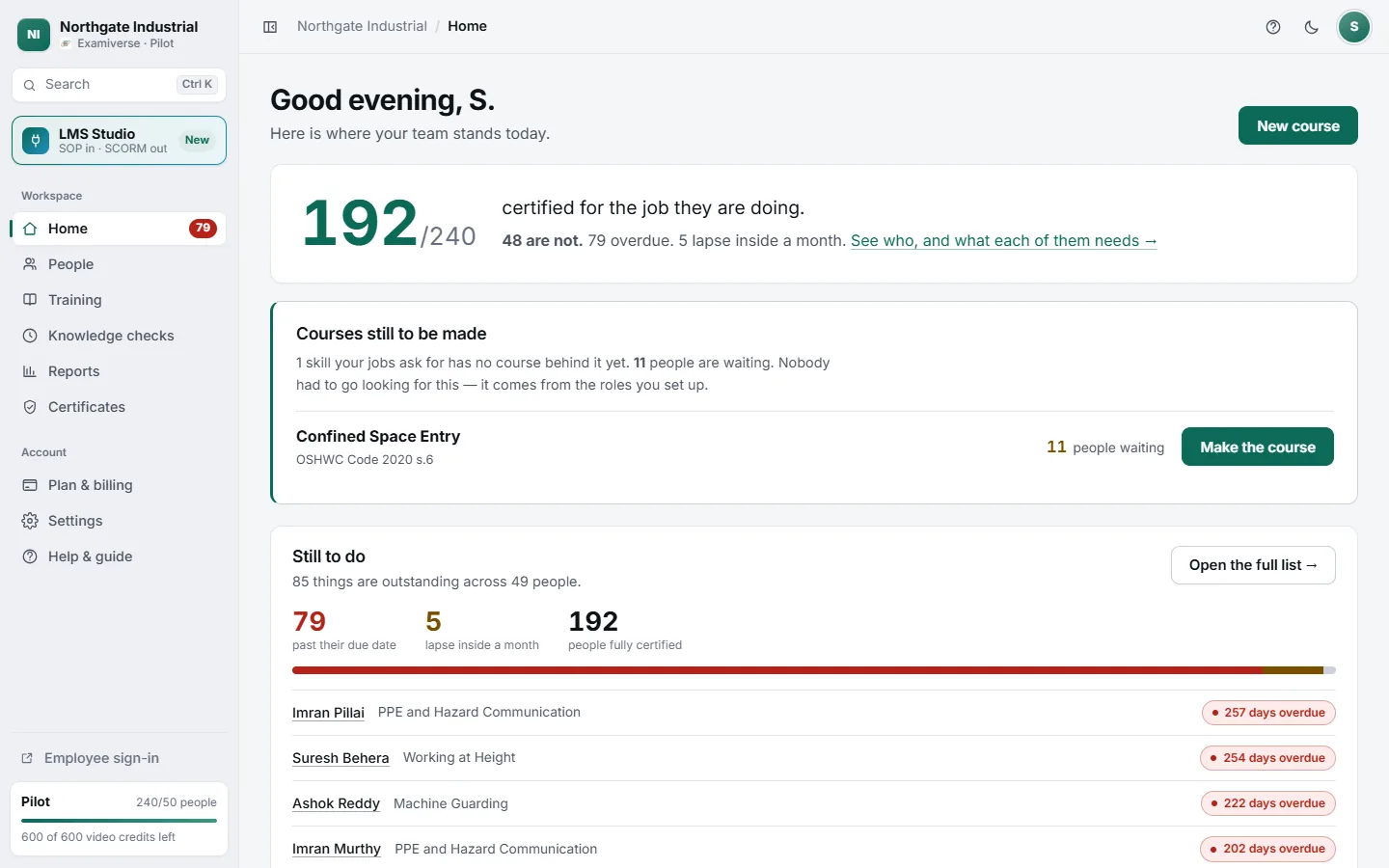
- 1Certified for the job they are doing
- 2Start a course from a document
- 3What is waiting for a person
- 4What is overdue, person by person
- 5A course your jobs still need, one press away
The short version
Examiverse is AI-native workforce compliance training automation. You hand over a procedure — an SOP, a method statement, a policy — and the platform plans a course, writes the lessons from your document, writes the questions from those lessons, translates everything into the languages your people read, and films narrated video lessons with a presenter.
Your employees sign in with an employee number and a PIN, learn on their phone in their own language, and are assessed. Passing issues a certificate anyone can verify from its ID or QR code. When people join, change job or their certificate is about to lapse, the training they owe appears on its own.
Who uses it
- Companies of any industry that must show their people are trained on their own procedures: plants, hospitals, warehouses, hotels, banks, call centres, construction sites and offices.
- Government bodies and public undertakings training large, spread-out teams in several languages.
- HR, L&D, safety and quality teams who today build slides by hand, chase completions on spreadsheets and assemble evidence before an audit.
Two more things it does with film
- Advanced films. Any lesson can be told as animated scenes instead of boards: each step of your procedure shown being done, the right way and the wrong way marked, your own points on screen. The chapter Make a course has it under Standard and Advanced films, with frames of a real film.
- Video translation. A training video you already have can be made again in Hindi, Marathi, Kannada, Tamil, Telugu and more, with a script your team approves before the film is made. The chapter Translate a video walks through it.
What a company gets out of it
Without it
- A trainer turns each SOP into slides, one course at a time
- Training in one language most of the floor half understands
- A completion tick that proves someone clicked through
- Spreadsheets of who is due, rebuilt before every audit
With Examiverse
- A finished video course from the document itself
- Every lesson, question and narration in each person’s language
- An assessed result and a verifiable certificate per person
- Requirements that follow the job, kept current on their own
Two ways to use it
Training your workforce here
- Add your people, their jobs and languages
- Courses are assigned by job, automatically
- Employees learn, are assessed and certified here
- Reports, re-certification and audit evidence included
Keeping your own LMS
- Use LMS Studio: upload an SOP, get one video or a whole course
- Or export any Training course the same way
- Download a SCORM 1.2 package and a Moodle question bank
- No employee data needs to leave your LMS