
Chapter 6 of 12 · all chapters
How your employees sign in, learn and are assessed
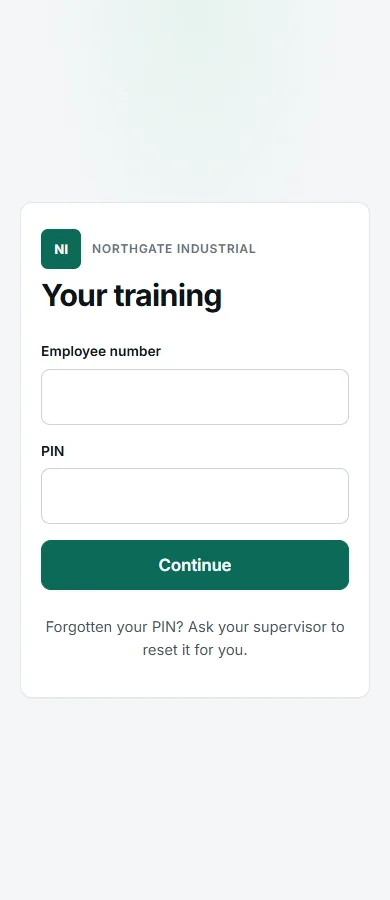
Employees sign in on any phone with an employee number and PIN, watch in their own language, answer questions, and see their result straight away.
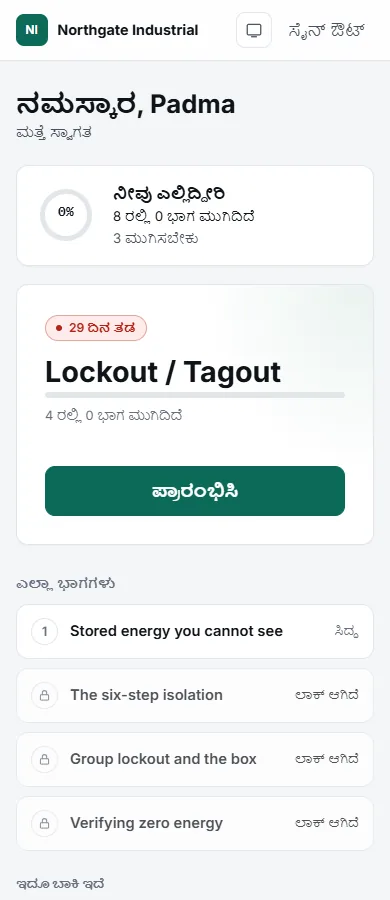
- 1Progress across everything they owe
- 2The next course, one tap to start
- 3Modules unlock in order
The employee’s side
-
Open the company link
Each company has its own sign-in address. Print it, put it on the noticeboard or send it round. The page carries your company’s name and logo.
-
Sign in with employee number and PIN
No email, no password to remember. The first time, each person picks their own PIN. Forgotten it? A supervisor resets it.
-
Watch in their own language
The video, the on-screen text and the questions are all in the language on their record.
-
Answer the questions
Each module ends with questions written from what was just taught. Multiple choice is marked at once; written answers are marked and, where needed, read by a person.
-
Get the certificate
Passing every part of a course issues a certificate with a verification ID and QR code. They can open it and save it as a PDF from any device.