
Keep your LMS. Examiverse makes what it plays, in your people’s languages.
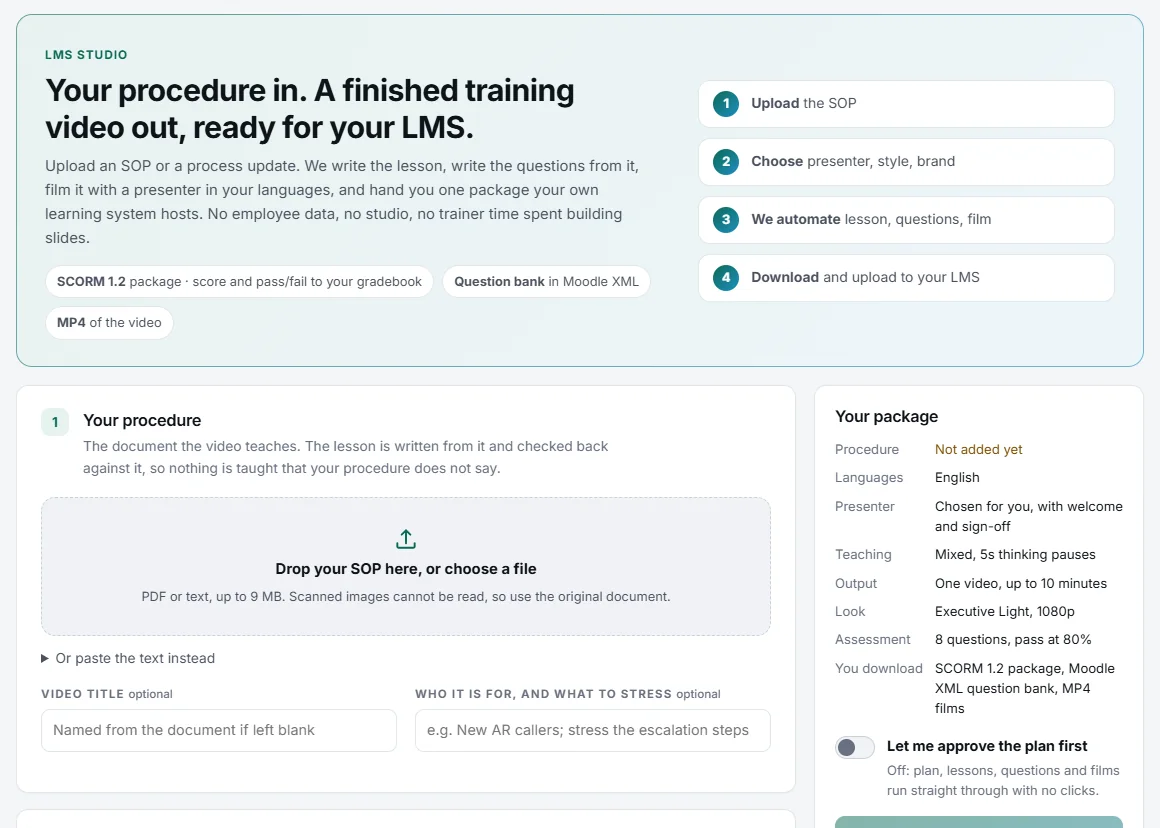
Upload an SOP or a process update and download one package your LMS hosts: SCORM that reports the score and pass or fail, MP4 films, and a Moodle question bank. No employee data is needed.
The LMS is in place. The content isn’t.
-
A generic library is not your procedure
Your LMS can play anything, but nobody has the time to build courses from your own SOPs.
-
Every language is a new project
Each translation, recording and upload is another round of work for the same course.
-
A completion tick is all you get
You need the score and pass or fail in the gradebook, not just “completed”.
Your procedure in, a package for your LMS out
-
Upload the procedure
A PDF (scans work too), a Word, PowerPoint or Excel file, photos of the pages or pasted text. Choose the presenter, style and languages.
-
Lessons, questions and films, approved by you
Every number is checked against the document, the questions come from the lesson, and you can approve the plan before anything is made.
-
Download, upload, see the score
A SCORM package that reports the score and pass or fail to your gradebook, plus MP4 films and a Moodle question bank.
What you download
-
SCORM with the score
It reports the score and pass or fail, and each question of the final test, to your LMS.
-
MP4 films
Narrated video lessons to host anywhere, in every language you chose.
-
A Moodle question bank
The questions as Moodle XML, ready to import.
-
Practice games inside the package
The course’s practice games travel in the SCORM package. They are practice only and never reported as the score.
-
No employee data needed
LMS Studio makes the package from the document alone. Your people stay in your LMS.
-
Changes, downloaded again
Change or add a lesson, then download the package again with the new lesson and its questions.
What buyers ask us
Which LMS does it work with?
Any LMS that plays SCORM packages. The package reports the score and pass or fail, and the questions also come as a Moodle question bank.
Which languages?
Films and written lessons in 64 languages, including Hindi, Tamil, Telugu, Kannada, Malayalam, Marathi, Bengali, Gujarati, Punjabi, Odia, Urdu and Arabic.
Do you need our employee list?
No. LMS Studio makes the package from the document alone; your people stay in your LMS.
Are the games reported to our LMS?
No. Games in a package are practice only and never reported. The score comes from the test.
What happens when the procedure changes?
Change or add the lesson, then download the package again and upload it to your LMS.
Prices are quoted for each company: ask for a quote. How every step works is in the product guide.
See it on one of your own documents
Examiverse turns your document into lessons, tests, certificates and reports on its own. Tell us how many people and which languages, and we send a written quotation.