
Chapter 10 of 12 · all chapters
Export any course to your LMS as SCORM
Every course in Training can leave as one SCORM 1.2 package with each module and a final assessment, plus a Moodle XML question bank. A course made only for your LMS is made in LMS Studio.
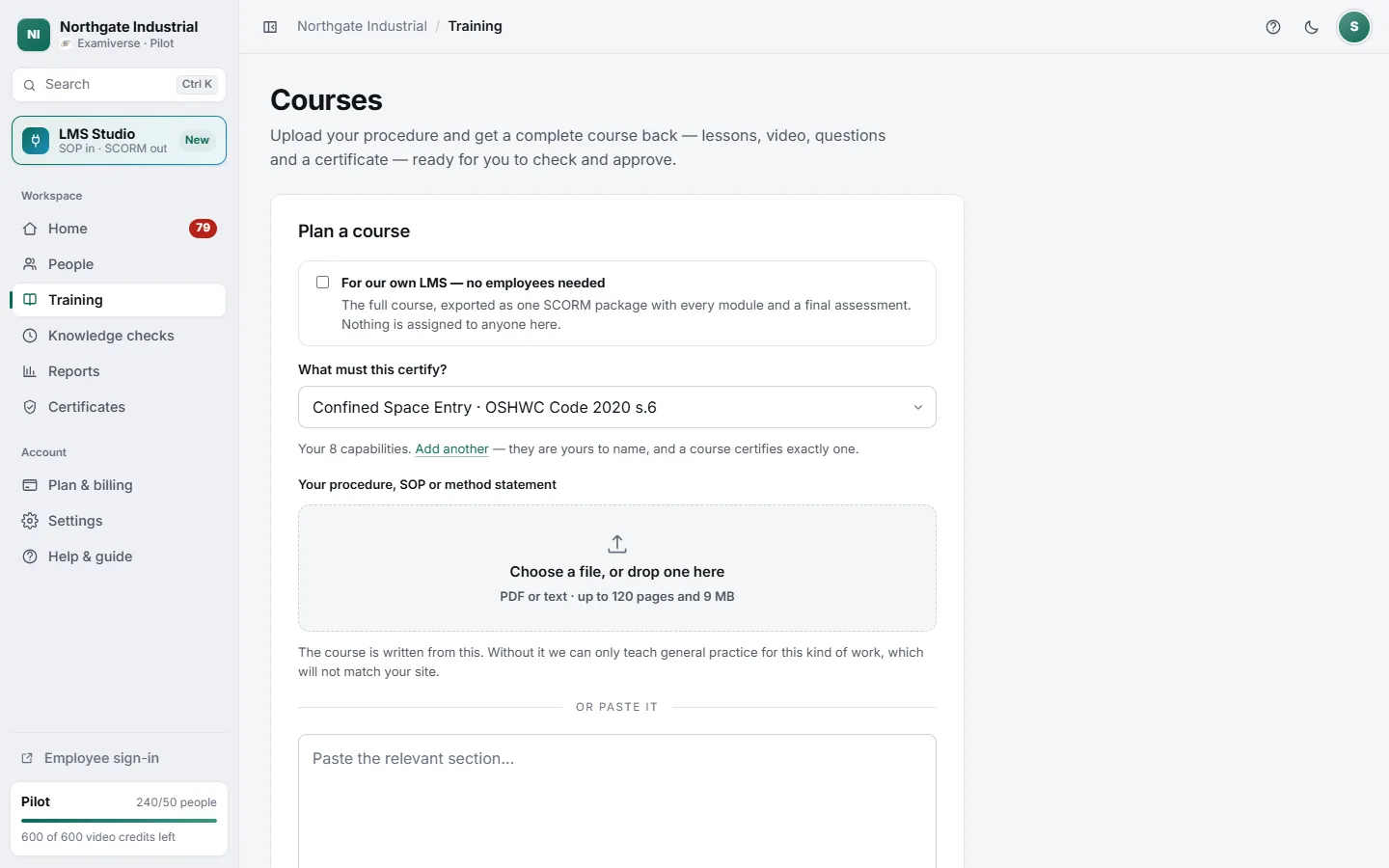
- 1Only for your LMS? Make it in LMS Studio
- 2For your workforce: what the course certifies
- 3Your procedure
Two ways to get a course into your LMS
A course only for your LMS
- Make it in LMS Studio and choose Whole course
- Nobody here is assigned it and no certificate is issued here
- It is listed in LMS Studio with your other packages
- Download from its package page
A workforce course, also exported
- Plan it as normal, for a skill your jobs need
- Employees here learn it and are certified as usual
- Press Export for your LMS on the course page
- The same package, for teams on your own LMS
The package page lists exactly what is included — films in each language, multiple-choice questions, the pass mark as mastery score, and what is reported back — and what stays out, so nobody expects our certificate to appear inside the LMS.